You are three cars deep in the drive-thru line, the Brewista leans out the window, and you say the thing everyone says: “Do I have a free drink on there?” Then you wait while they check, and half the time the answer is not what you expected.
That little moment of not knowing is what this whole guide is about. The 7 Brew point system is simple once someone lays it out plainly, but the program changed in 2026 — twice — and a lot of what people still repeat about it is out of date.
Here is how the points actually work right now, where to see your balance, and the two changes that catch regulars off guard.
What 100 points actually gets you
Every qualifying drink you buy adds 100 points to your account. No card to carry, no punches, no app required to earn. You give the phone number tied to your rewards account at the window, and the points land.
1,000 points is the number that matters. That is ten drinks, and that is where your first reward unlocks.
| Drinks bought | Points | What you can do |
|---|---|---|
| 1 | 100 | Keep going |
| 5 | 500 | Halfway |
| 10 | 1,000 | Redeem a free drink — or keep saving |
| 20+ | 2,000+ | Merch tiers start unlocking |
The math is refreshingly boring. Ten drinks, one free. What trips people up is not the earning. It is everything that happens after you hit 1,000.
The change most regulars have not caught yet
This is the big one, and it is the reason people stand at the window confused.
Hitting 1,000 points no longer hands you a free drink automatically. It used to. The account would tick over to 1,000, a free drink would appear, and that was that.
Now, 1,000 points sits in your balance as points. You have to go in and choose to spend them. If you never open the app or the rewards page, you can walk around with 3,000 points and still pay full price every single visit, because nothing converts on its own anymore.
The upside is real, though. Instead of being handed a free drink whether you wanted one or not, you now pick — a drink now, or save up for merch. The tradeoff is that the program stopped being passive.
What stopped earning points in August 2026
The second change is newer and easier to miss. As of August 12, 2026, points are earned only on qualifying small, medium and large drinks.
Two things that used to count no longer do:
- 7 Brew Energy cans — the canned ones, not the made-to-order 7 Energy drinks
- Kids sized drinks (see all 7 Brew sizes)
If you have a habit of grabbing a can on the way out, or you order a Kids size for someone in the back seat, those rings do not move your balance anymore. Worth knowing before you count on points you did not actually earn.
| Order | Earns 100 points? |
|---|---|
| Small drink | Yes |
| Medium drink | Yes |
| Large drink | Yes |
| Kids size | No — since Aug 12, 2026 |
| 7 Brew Energy can | No — since Aug 12, 2026 |
Three ways to check your 7 Brew points balance
You do not need the app for any of this, though it is the fastest route.
| Where | Speed | Can you redeem there? |
|---|---|---|
| 7 Brew app → Rewards tab | Fastest | Yes |
| 7brew.com/rewards | Fast | Yes |
| Ask at the drive-thru | Slowest | No — view only |
1. In the 7 Brew app
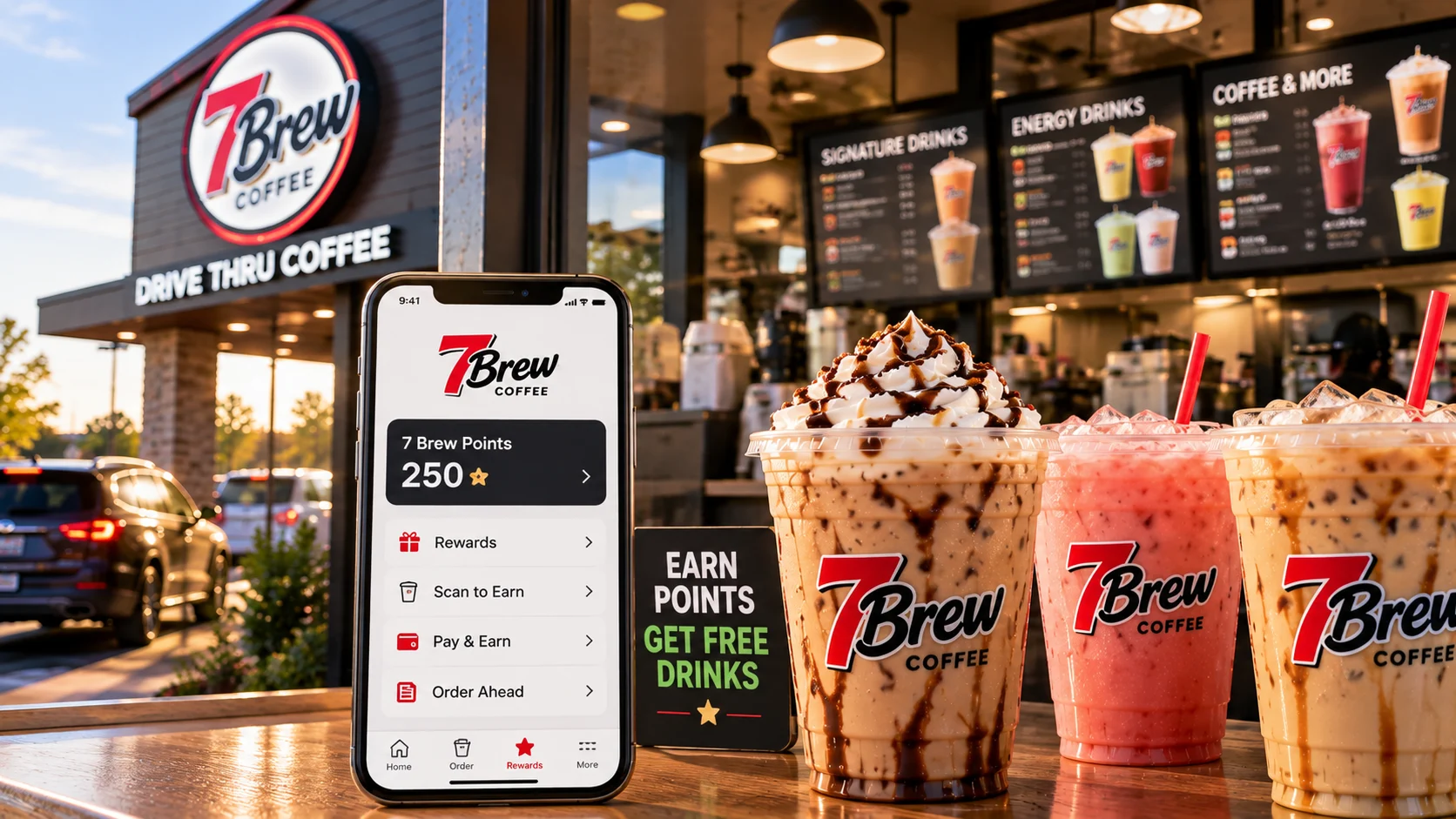
Open the app and tap the Rewards tab along the bottom. Your total balance sits at the top, and the rewards you can currently afford are listed underneath. As the number climbs, more options appear.
The app is free on both the iPhone App Store and Google Play, and you do not have to buy anything to use it.
2. On the website
Go to 7brew.com/rewards and log in with the same account. Everything you can do in the app you can do here, including redeeming. This is the one to use if you would rather not install anything.
3. Just ask at the window
Give the Brewista the phone number on your account and they can pull it up. This is the slowest option and it holds up the line behind you, but it works when your phone is dead or you are borrowing someone else’s car.
How to redeem 7 Brew points, step by step
Redeeming is four taps once you know where to look.
- Open the app (or 7brew.com/rewards) and log in.
- Tap the Rewards tab at the bottom of the screen.
- Look at what is unlocked. At 1,000 points a free drink is available. Higher balances show merch options.
- Select the reward you want. It attaches to your account, and you use it on your next order.
One thing to plan around: decide before you get in line. Sitting at the window scrolling through reward tiers with three cars behind you is not the moment to weigh a free Blondie against a keychain.
Free drink or save for merch?
Once you pass 1,000 points, you get a genuine choice. Cash out at 1,000 for a drink from the 7 Brew menu, or let the balance build and unlock merchandise instead — keychains, t-shirts, sweatshirts and other limited-run items.
How to think about it:
| If you… | Do this |
|---|---|
| Go a few times a week | Cash out at 1,000. You will rebuild fast. |
| Go once or twice a month | Cash out. Saving risks the expiry rule below. |
| Want a specific merch item | Save, and check the app so you know the target. |
| Are not sure | Take the drink. A reward you used beats one you are still waiting on. |
Do 7 Brew points expire? Here is the actual rule
This one is worth writing on a sticky note.
Points and free drinks expire after 365 consecutive days with no purchase on your account.
Read that carefully, because it is friendlier than most expiry policies. The clock is not “365 days from when you earned the point.” It is 365 days from your last purchase. One qualifying drink resets it and everything stays alive.
So a year-long gap wipes the balance. A drink every few months keeps it safe indefinitely. If you are the type who saves toward merch, that is the rule to respect — a long balance sitting untouched for a year is a balance you lose.
Ordering ahead in the app (and the part that surprises people)
Order-ahead is straightforward, but one detail catches almost everyone the first time.
- Pick your location in the app (or find one in our 7 Brew locations list).
- Choose your drinks and customize them.
- Drive to the stand and get in the drive-thru line as usual.
- Tell the Brewista you ordered on the app. They check you in.
You pay at the drive-thru, not in the app. The order goes through, but your card is not charged when you tap submit. Payment happens when the Brewista checks you in at the window. If you were expecting to roll up and grab a pre-paid drink, that is not how it works — you are still stopping to pay.
Two more things about order-ahead:
- You can order any time your local stand is open. See 7 Brew hours for typical times.
- Pick it up the same day. Mobile orders are cleared at the end of each day, so an order placed at night and forgotten is simply gone.
Mistakes that cost people 7 Brew points
None of these are dramatic. They are just the small things that quietly eat a balance.
Assuming the free drink applied itself. The single most common one now. You cross 1,000, you assume you are owed a drink, and at the window there is nothing attached because you never redeemed it.
Not giving your number. If you forget to check in or hand over the phone number, that drink earns nothing. There is no retroactive fix at the window.
Using two phone numbers. Sign up once, on one number. Split accounts split your points, and neither half reaches 1,000.
Counting on Kids sizes or Energy cans. Since August 12, 2026, those no longer earn. If your mental math assumed they did, your balance will come up short.
Saving toward merch and then disappearing for a year. The 365-day inactivity rule does not care how patiently you were saving.
Forgetting a mobile order. Placed at night, picked up never, cleared at close.
When your points look wrong
Sometimes the number genuinely is off — a visit that did not register, a balance that did not update after a purchase.
The fix is the same either way: go to 7brew.com/support, choose “App” from the Subject dropdown, and describe what happened. Include the date of the visit and the location if you have them. The team reviews it and adjusts.
The Brewista at the window cannot repair a balance. They can look it up, but corrections go through support.
Bonus point promotions
7 Brew periodically runs promotions that stack extra points on top of the usual 100 — bonus points for ordering through the app during a set window, occasional sweepstakes, that kind of thing. These run for a few days at a time and are announced in the app.
If you are close to 1,000 and a bonus period is live, that is the moment to make your run. Check the app’s home screen when you open it rather than hunting for announcements elsewhere.
Frequently asked questions
Final thoughts
The program is genuinely easy money if you were going to buy the coffee anyway. Ten drinks, one free, no card to lose.
The only thing it asks of you now is a little attention. Open the Rewards tab once in a while, redeem when you cross 1,000 instead of assuming it happened, and buy something at least once a year if you are saving toward merch. That is the whole job.
If you want the wider picture — how to sign up, what the tiers look like, and how the whole program fits together — read our full guide to 7 Brew Rewards.
Sources
- 7 Brew Rewards, official program page and FAQs — 7brew.com/rewards
- 7 Brew Support — 7brew.com/support
Program terms change. Details on this page were checked against 7 Brew’s official rewards page in August 2026, including the point-earning changes effective August 12, 2026. This website is an independent guide and is not connected with 7 Brew Coffee.